Car Computer (LHD) (Remove and Install)
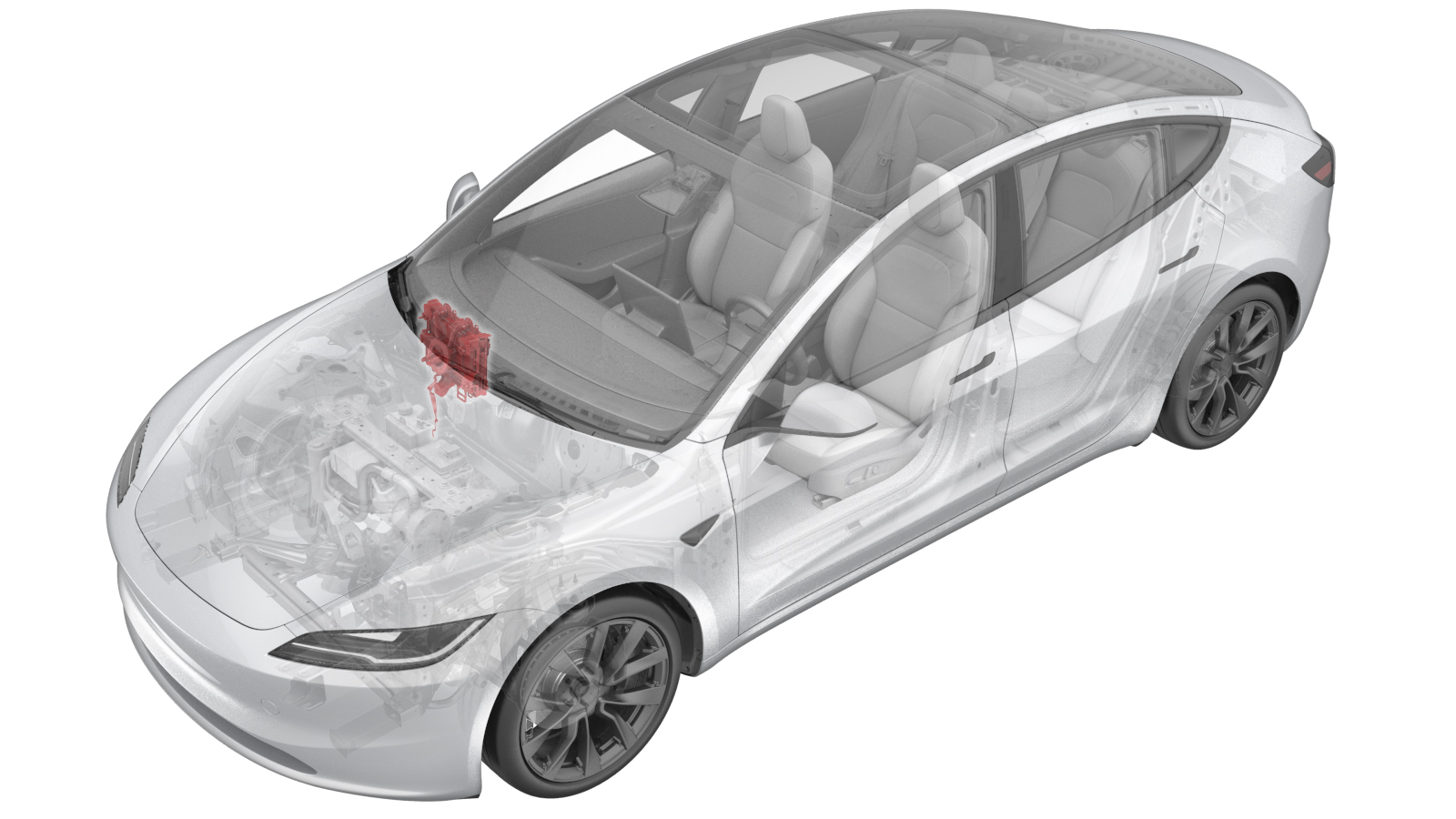 Correction code
2110010031
FRT
1.38
NOTE: Unless
otherwise explicitly stated in the procedure, the correction code and its
associated FRT reflect all of the work required to perform this procedure,
including the linked procedures. Do not stack correction
codes unless explicitly told to do so.
NOTE: See Flat Rate Times to
learn more about FRTs and how they are created.
NOTE: See Personal Protection to make
sure you are wearing proper PPE when performing the procedure below.
NOTE: See Ergonomic Precautions for safe and healthy
working practices.
Correction code
2110010031
FRT
1.38
NOTE: Unless
otherwise explicitly stated in the procedure, the correction code and its
associated FRT reflect all of the work required to perform this procedure,
including the linked procedures. Do not stack correction
codes unless explicitly told to do so.
NOTE: See Flat Rate Times to
learn more about FRTs and how they are created.
NOTE: See Personal Protection to make
sure you are wearing proper PPE when performing the procedure below.
NOTE: See Ergonomic Precautions for safe and healthy
working practices.
- 2026-05-06: Added the coolant vacuum refill step to avoid overheating.
- 2024-03-21: Updated the torque value of nuts and bolts that attach the car computer to the body. Removing the front passenger side airbag is not required., just disconnecting the connector on it is workable.
Torque Specifications
| Description | Torque Value | Recommended Tools | Reuse/Replace | Notes |
|---|---|---|---|---|
| Nuts (x3) and the bolts (x2) that attach the car computer to the body |
 20 Nm (14.7 lbs-ft) |
|
Reuse | |
| Bolt that attaches the ground strap to the car computer |
3.5 Nm (2.6 lbs-ft) |
|
Reuse |
Remove
- Remove the rear underhood apron. See Underhood Apron - Rear (Remove and Replace).
- Unlock the vehicle gateway. See Gateway Unlock.
-
Perform the following
routine using Service Mode or Toolbox (see 0005 - Service Modes):
PROC_VCFRONT_X_START-THERMAL-FILL-DRAIN-COOLANTvia Toolbox:(link)
NoteThis routine has a time limit of 5 hours. If it takes longer than 5 hours, perform this step again.
- Disconnect the LV battery power. See LV Power (Disconnect and Connect) (Modify).
- Remove the underhood storage unit. See Underhood Storage Unit (Remove and Replace).
- Remove the fresh air intake duct. See Fresh Air Intake - HVAC (Remove and Replace).
- Place absorbent material below the car computer coolant hose connections to collect any spilled coolant.
-
Release the clips (x2) on the coolant
hoses connected to the car computer mount, and then disconnect the coolant hoses from
the car computer.
-
Plug the female fittings of the
coolant hoses.
NotePlug the fittings as soon as possible to avoid coolant loss.TipUse of the following tool(s) is recommended:
- 1135762-00-A Kit, Svc Plug, Cooling Hose, Model 3
-
Install the car computer fluid port
plug over the car computer coolant fittings.
TipUse of the following tool(s) is recommended:
- 1119171-00-A Plug,Car Computer Fluid Port
-
Remove the nuts (x3) and the bolts
(x2) that attach the car computer to the body.
TipUse of the following tool(s) is recommended:
- Cordless Ratchet/Impact Driver
- 10 in extension
- 6 in extension
- 13 mm socket
- Remove the passenger footwell cover. See Cover - Footwell - Front Passenger (Remove and Replace).
- Remove the RH instrument panel end cap. See End Cap - Instrument Panel - LH (Remove and Replace).
- If equipped, remove the passenger knee airbag. See Airbag - Knee - RH (Remove and Replace).
-
Remove the glove box. See Glove Box (Remove and Replace).
NoteNo need to remove the glove box USB cable.
- Remove the RH footwell duct. See Duct - Footwell - RH (Remove and Replace).
- Remove the RH air wave duct. See Duct - Air Wave - RH (Remove and Replace).
-
Disconnect the connector on the front
passenger air bag.
-
Disconnect the connectors (x4) on the
front side of the car computer.
-
Disconnect the connectors (x5) on the
left side of the car computer.
-
Release the harness clips (x5) from
the left, the top, and the lower of the car computer.
-
Remove the bolt that attaches the
ground strap to the car computer.
TipUse of the following tool(s) is recommended:
- Cordless Ratchet/Impact Driver
- 8mm 12pt combination wrench
- Torx T25 socket
-
Remove the nut that attaches the car
computer to the body.
TipUse of the following tool(s) is recommended:
- Cordless Ratchet/Impact Driver
- 10 in extension
- 6 in extension
- 13 mm socket
-
Slide the car computer inward to gain
access to the connectors.
TipWith the right hand on top of the car computer and left hand under the car computer, use the right hand to help push the airbag up and towards the rear of the vehicle to provide clearance for the visor
-
Disconnect the connectors (x5) from
the right side of the car computer, and remove the car computer from the vehicle.
-
Prior to installation, remove and discard the bolt that attaches the new ground strap
to the new car computer.
TipUse of the following tool(s) is recommended:
- Cordless Ratchet/Impact Driver
- 8mm 12pt combination wrench
- Torx T25 socket
Install
-
Place the car computer into the
vehicle, and then connect the connectors (x5) at the right side of the car
computer.
-
Install the nut that attaches the car
computer to the body.20 Nm (14.7 lbs-ft)TipUse of the following tool(s) is recommended:
- Cordless Ratchet/Impact Driver
- 10 in extension
- 6 in extension
- 13 mm socket
-
Install the bolt that attaches the
ground strap to the car computer.3.5 Nm (2.6 lbs-ft)TipUse of the following tool(s) is recommended:
- Cordless Ratchet/Impact Driver
- 8mm 12pt combination wrench
- Torx T25 socket
-
Install the harness clips (x5) from
the lower, the top, and the left of the car computer.
-
Connect the connectors (x9) on the
left side and the front side of the car computer.
-
Connect the connector on the front
passenger air bag.
- Install the RH air wave duct. See Duct - Air Wave - RH (Remove and Replace).
- Install the RH footwell duct. See Duct - Footwell - RH (Remove and Replace).
-
Install the glove box. See Glove Box (Remove and Replace).
NoteNo need to install the glove box USB cable.
- Install the RH instrument panel end cap. See End Cap - Instrument Panel - LH (Remove and Replace).
- If equipped, install the passenger knee airbag. See Airbag - Knee - RH (Remove and Replace).
- Install the passenger footwell cover. See Cover - Footwell - Front Passenger (Remove and Replace).
-
Install the bolts (x3) and nuts (x2)
that attach the car computer to the body.20 Nm (14.7 lbs-ft)TipUse of the following tool(s) is recommended:
- Cordless Ratchet/Impact Driver
- 10 in extension
- 6 in extension
- 13 mm socket
- Remove the plugs from the car computer and coolant hoses.
-
Install the clips (x2) on the coolant
hoses connected to the car computer mount to connect the coolant hoses to the car
computer.
- Remove the absorbent material from below the car computer coolant hose connection points and car computer.
- Perform a cooling system vacuum refill. See Cooling System - Vacuum Refill (Test/Adjust).
- Install the fresh air intake duct. See Fresh Air Intake - HVAC (Remove and Replace).
- Install the underhood storage unit. See Underhood Storage Unit (Remove and Replace).
- Install the rear underhood apron. See Underhood Apron - Rear (Remove and Replace).