Module - Restraint Control - Universal (Remove and Install)
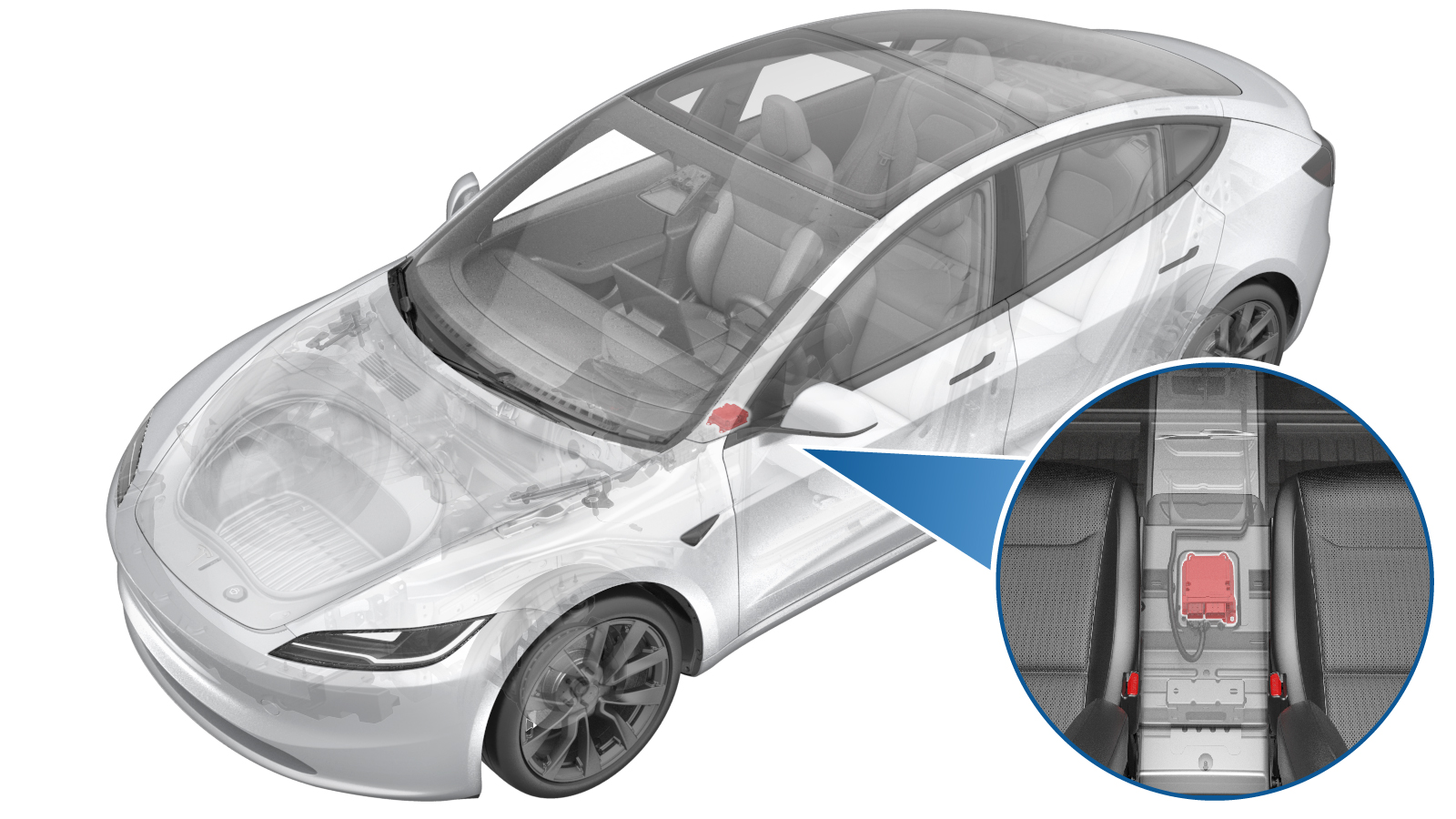 Correction code
2020010031
0.42
NOTE: Unless
otherwise explicitly stated in the procedure, the correction code and its
associated FRT reflect all of the work required to perform this procedure,
including the linked procedures. Do not stack correction
codes unless explicitly told to do so.
NOTE: See Flat Rate Times to
learn more about FRTs and how they are created.
NOTE: See Personal Protection to make
sure you are wearing proper PPE when performing the procedure below.
NOTE: See Ergonomic Precautions for safe and healthy
working practices.
Correction code
2020010031
0.42
NOTE: Unless
otherwise explicitly stated in the procedure, the correction code and its
associated FRT reflect all of the work required to perform this procedure,
including the linked procedures. Do not stack correction
codes unless explicitly told to do so.
NOTE: See Flat Rate Times to
learn more about FRTs and how they are created.
NOTE: See Personal Protection to make
sure you are wearing proper PPE when performing the procedure below.
NOTE: See Ergonomic Precautions for safe and healthy
working practices.
- 2026-02-03: Released new procedure.
Equipment:
- 1060071-00-A Torque Wrench 1/4in Dr Hexagon
Torque Specifications
| Description | Torque Value | Recommended Tools | Reuse/Replace | Notes |
|---|---|---|---|---|
| Nuts (x3) that attach the restraint control module to the body |
 8 Nm (5.9 lbs-ft) |
|
Replace |
Remove
- Enable Service Mode Plus. See Service Mode Plus
-
On the touchscreen, touch , touch Run, and allow the routine to complete.
NoteMake sure that airbags are disarmed after the routine has completed.
Model Y shown, other models similar
- Remove the center console. See Center Console (Remove and Replace).
- Disconnect LV power. See LV Power (Disconnect and Connect) (Modify).
-
Disengage the locking
levers, and then disconnect the electrical connectors from the restraint
control module.
WarningMake sure LV power has been disconnected for at least 2 minutes before disconnecting the electrical harness from the restraint control module. Failure to do so can result in unintended safety system behaviors.
-
Remove and discard the nuts
(x3) that attach the restraint control module to the body, and then remove
the module from the vehicle.
- Cordless Drill
- 10 mm deep nutsetter
Install
-
Install the restraint
control module to the body, and then install new nuts (x3) to attach the
module to the body.8 Nm (5.9 lbs-ft)NoteVerify part number on the new module is correct.NoteUse of the following tool(s) is recommended:
- Cordless Drill
- 10 mm deep nutsetter
-
Connect the electrical
connectors to the restraint control module and then engage the connector
locking levers.
- Connect LV power. See LV Power (Disconnect and Connect) (Modify).
- Install the center console. See Center Console (Remove and Replace).
- Enable Service Mode Plus. See Service Mode Plus
-
On the touchscreen, touch , touch Run, and allow the routine to complete.
NoteMake sure the airbags are armed after the routine has completed.
- Exit Service Mode Plus. See Service Mode Plus