Duct - Thermistor - Lower - LH (Remove and Replace)
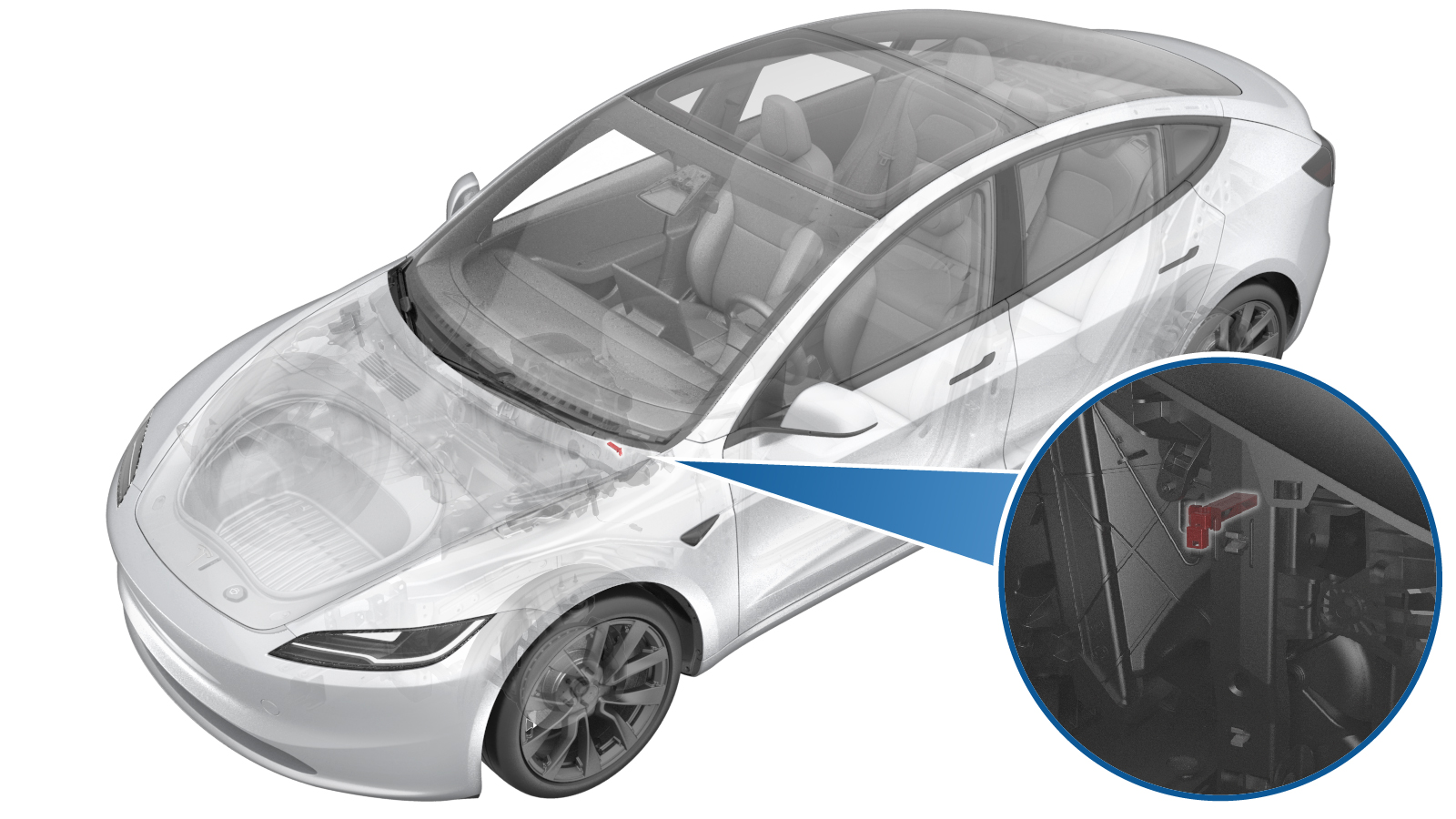 Correction code
1810011112
FRT
0.12
NOTE: Unless
otherwise explicitly stated in the procedure, the correction code and its
associated FRT reflect all of the work required to perform this procedure,
including the linked procedures. Do not stack correction
codes unless explicitly told to do so.
NOTE: See Flat Rate Times to
learn more about FRTs and how they are created.
NOTE: See Personal Protection to make
sure you are wearing proper PPE when performing the procedure below.
NOTE: See Ergonomic Precautions for safe and healthy
working practices.
Correction code
1810011112
FRT
0.12
NOTE: Unless
otherwise explicitly stated in the procedure, the correction code and its
associated FRT reflect all of the work required to perform this procedure,
including the linked procedures. Do not stack correction
codes unless explicitly told to do so.
NOTE: See Flat Rate Times to
learn more about FRTs and how they are created.
NOTE: See Personal Protection to make
sure you are wearing proper PPE when performing the procedure below.
NOTE: See Ergonomic Precautions for safe and healthy
working practices.
Remove
- Remove LH front side panel from center console assembly. See Carpet - Side - Center Console - LH (Remove and Replace).
-
Disconnect the LH lower duct
thermistor connector.
-
Use a small flat head screwdriver to
release the tabs (x2) that attach the LH lower duct thermistor to the HVAC assembly, and
then remove the thermistor from the vehicle.
Install
-
Fasten the tabs (x2) that attach the
LH lower duct thermistor to the HVAC assembly.
-
Connect the LH lower duct thermistor
connector.
- Install LH front side panel from center console assembly. See Carpet - Side - Center Console - LH (Remove and Replace).
- Enter Service Mode. See Service Mode.
- Unlock the vehicle gateway. See Gateway Unlock.
-
On the touchscreen, perform HVAC
performance: , and select Run to start the routine.
NoteMake sure the routine is passed, then touch Close to close it.
- Exit Service Mode. See Service Mode.